
L’utilitaire netsh accessible depuis la ligne de commande Windows permet d’afficher et de modifier la configuration réseau d’un ordinateur local ou distant. Il est disponible sur Windows Server et également Windows 10.
Liste des fonctions disponibles
Depuis la ligne de commande windows (cmd), lancer netsh wlan pour obtenir l’ensemble des fonctions disponibles concernant les réseaux wifi.
c:\Users\Administrateur>netsh wlan
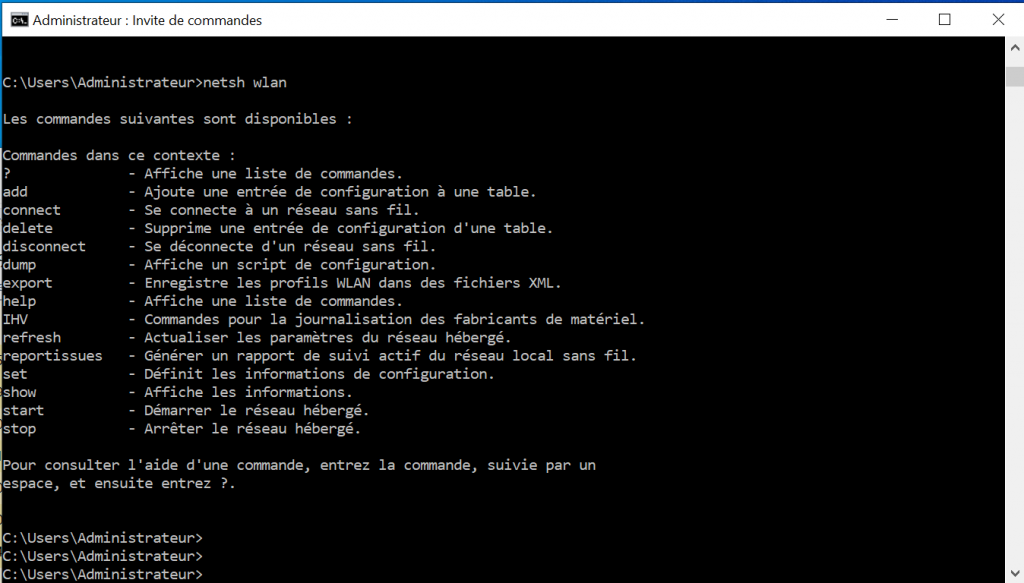
Avec l’outil il est possible d’effectuer les mêmes opérations que depuis le Centre Réseau et Partage du panneau de configuration.
Accéder au mot de passe du Wifi
La commande wlan show profile permet de lister l’ensemble des profil wifi stocké sur l’ordinateur. En repérant le profil qui nous intéresse il va être possible d’afficher l’ensemble des informations.
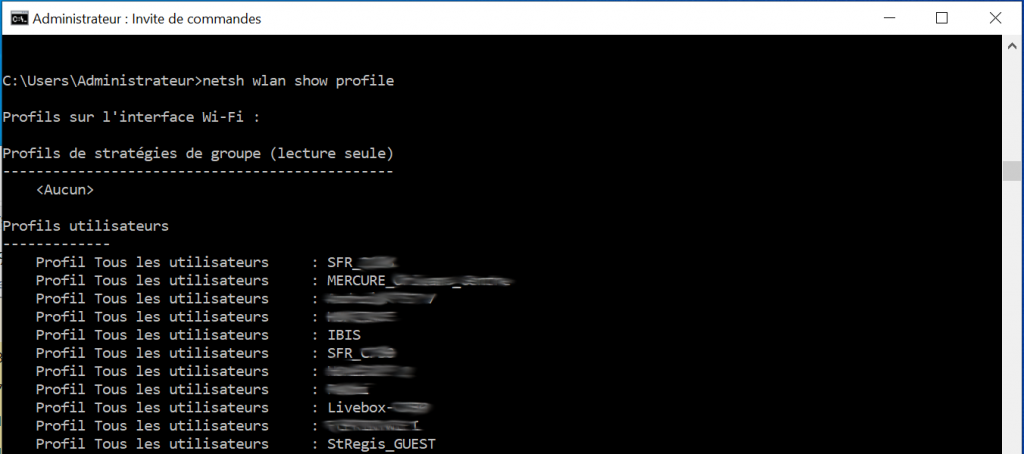
Pour afficher les informations d’un profil précis, la commande complète est la suivante :
c:\Users\Administrateur>netsh show profile SSIDWIFI key=clear
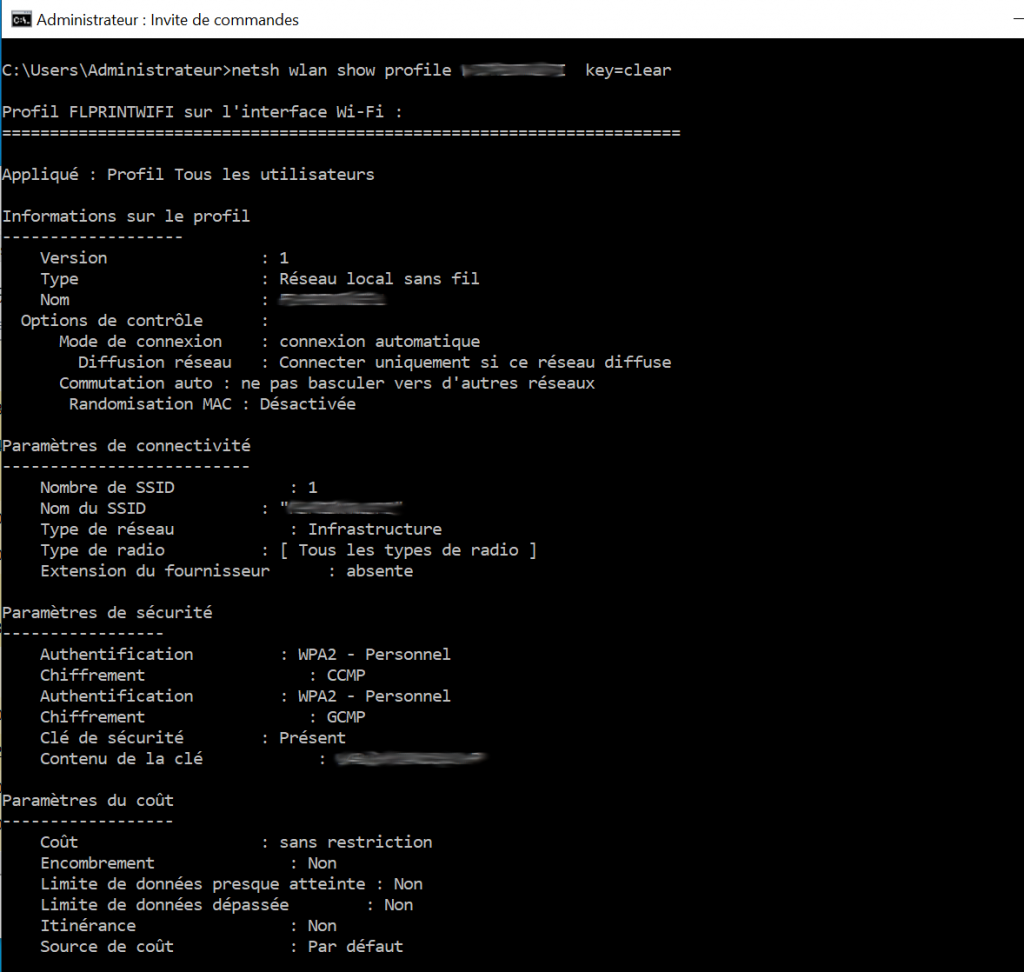
La clé Wifi est stockée dans le champs « Contenu de la clé ».
Pour plus d’information concernant l’utilitaire netsh et ses possibilités la documentation est accessible ici : https://docs.microsoft.com/fr-fr/windows-server/networking/technologies/netsh/netsh-contexts.


9 Comments
Pas Ouf
11 mai 2023 - 13 h 24 minNul fonctionne pas
StephenGroow
16 juillet 2026 - 8 h 29 minUseful info on this topic. Personally that most strategies are often misunderstood. However, as, the casino always has an edge. Do not believe that a secret system works. Gambling must stay a controlled pastime. Source : payid pokies australia no deposit bonus codes
Baixar WhatsApp para Android
28 juillet 2026 - 18 h 23 minDefinitely believe that which you stated. Your favourite justification seemed to be on the web the simplest factor to remember of. I say to you, I definitely get irked while other folks consider concerns that they plainly don’t understand about. You managed to hit the nail upon the highest and also outlined out the whole thing without having side-effects , other folks could take a signal. Will probably be again to get more. Thanks
Douglassoymn
9 août 2026 - 20 h 00 minТолько лучшие материалы: разработка локальных документов по охране труда
dostavka cvetov 291
12 août 2026 - 2 h 37 minнедорогие цветы с доставкой цветы заказать Омск
Dwaynebah
12 août 2026 - 2 h 39 minТолько лучшие материалы: разработка документов по охране труда под ключ
daman
13 août 2026 - 19 h 46 minThanks for enabling me to achieve new ideas about computers. I also contain the belief that one of the best ways to keep your laptop in best condition has been a hard plastic-type case, as well as shell, that matches over the top of your computer. These kinds of protective gear are model targeted since they are manufactured to fit perfectly over the natural outer shell. You can buy them directly from the owner, or from third party places if they are for your notebook computer, however only a few laptop can have a spend on the market. All over again, thanks for your ideas.
daman games app
14 août 2026 - 11 h 03 minFantastic beat ! I wish to apprentice while you amend your site, how could i subscribe for a blog website? The account aided me a acceptable deal. I had been a little bit acquainted of this your broadcast offered bright clear idea
daman game app
15 août 2026 - 7 h 31 minThanks for your writing. I would also like to say that the health insurance dealer also works for the benefit of the particular coordinators of any group insurance coverage. The health insurance broker is given a long list of benefits needed by someone or a group coordinator. Such a broker can is search for individuals as well as coordinators which best match those needs. Then he offers his suggestions and if the two of you agree, the actual broker formulates a contract between the two parties.